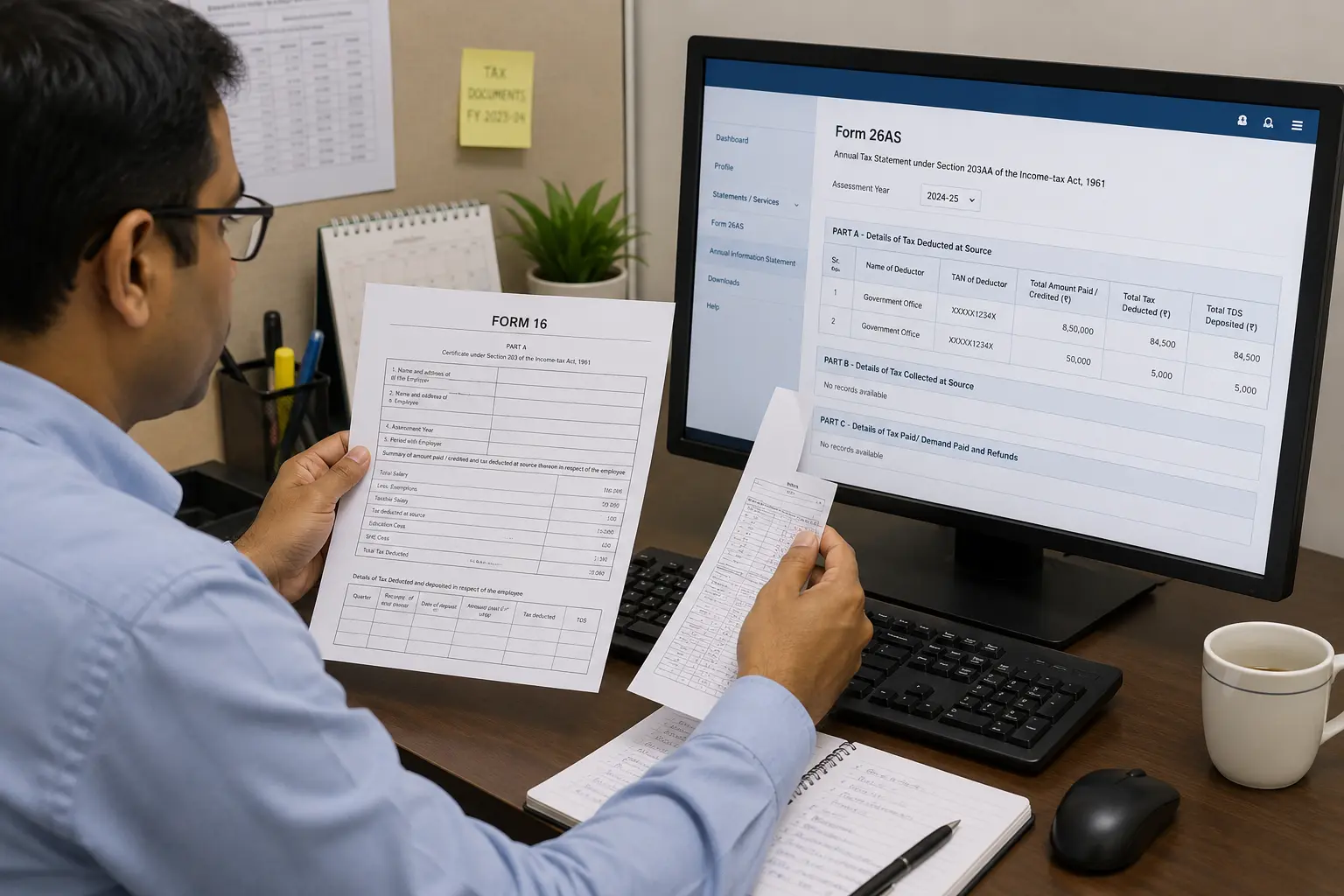
What Is Form 16 and Why PSU Employees Cannot Ignore It
Form 16 is a certificate your employer issues every year. It shows your total salary income, all allowances like TA/DA, medical benefits, LTC, and the tax deducted from your pay during the financial year. Think of it as your official income and tax statement for the year.
For PSU employees, this document carries more weight than most people realise. Your salary structure is complex — multiple allowances, arrears, DA revisions, and retirement settlements all land in the same year sometimes. Each of these has a different tax treatment. Form 16 is supposed to capture all of it correctly.
The problem is, most PSU employees receive Form 16, glance at the TDS amount, and move on. They never check whether what is written in Form 16 actually matches what the government has recorded against their PAN. That single mistake can lead to a tax notice, a rejected refund, or worse — a demand for tax you thought was already paid.
Employers are required to issue Form 16 by June 15th every year. You should have it in hand right now. The question is — do you know what to do with it? Cleartax
Part A vs Part B: What Each Section Actually Tells You
Form 16 comes in two parts. Most people treat it as one document and never look closely. That is a mistake.
Part A contains your basic details — employer name, employee name, PAN, TAN, period of employment, and the quarterly breakdown of TDS deducted and deposited with the government. Part B is the salary annexure — it shows your salary breakup, allowances, exemptions, deductions claimed, and the final tax calculation. Cleartax
Start with Part A. Check your name and PAN carefully. This sounds basic, but it is not. In large PSUs where many employees share similar names, PAN numbers sometimes get swapped. Two employees named Pulak — same name, two different PANs. If your PAN is wrong in Part A, the TDS your employer deducted will not show up against your PAN in the government’s records. You will not get credit for tax that was actually paid.
Move to Part B next. This is where the actual tax calculation lives. Cross-check every figure against your monthly pay slips. Your basic salary, DA, TA, medical allowance, LTC — all of it should match what you received through the year. Then verify the total TDS amount. If the number in Part B does not match what was deducted from your monthly salary across 12 months, something is wrong before you even open the ITR portal.
The Real Story: When Form 16 Lied to Fresh Retirees at My PSU
Last year, a group of fresh retirees at my PSU came to me with their Form 16 for ITR filing. They had just retired. They had served for decades. They trusted the system completely. That trust nearly cost them.
When I tallied their Form 16 against Form 26AS, the numbers did not match. The TDS shown in Form 16 was not reflecting in Form 26AS. The tax had been deducted from their salary every month. But HR had not deposited it with the government within the stipulated deadline. So as far as the Income Tax Department was concerned, that TDS credit did not exist.
The retirees panicked. Then they went straight to HR. It took months of follow-up before HR finally filed a revised TDS return with all the deducted amounts. The matter was resolved only in October. Fortunately, the ITR filing deadline had been extended that year, so those who waited escaped the late filing penalty.
But not everyone came to me. Some retirees filed their ITR on their own without checking Form 26AS. They filed with the mismatch still in place. Their ITR carried TDS credit that the government had not yet recorded. That is exactly the kind of filing that triggers a demand notice or a refund rejection.
The lesson here is uncomfortable but necessary. Your employer can deduct tax from your salary every single month and still fail to deposit it on time. Form 16 will show the deduction. Form 26AS will not. And if you file without checking, you will own that problem — not HR.
Always tally. Never trust blindly.
How to Verify Your Form 16 Against Form 26AS (Step by Step)
This is the single most important step before you file your ITR. It takes 10 minutes. It can save you months of trouble.
Step 1 — Log in to the Income Tax portal. Go to incometax.gov.in and log in with your PAN and password. Navigate to the Annual Information Statement or Form 26AS under the My Account section.
Step 2 — Download Form 26AS. Download the PDF or view it online. This is the government’s own record of every rupee of tax deposited against your PAN. What is here is what the Income Tax Department sees.
Step 3 — Match PAN and TAN details. Open your Form 16 Part A alongside Form 26AS. Check that your PAN is identical in both documents. Also verify your employer’s TAN. If either detail is wrong, stop immediately and contact HR before filing anything.
Step 4 — Match total salary and total TDS. This is the critical step. The total salary figure in your Form 16 Part B must match what is reflected in Form 26AS. Then check the total TDS deducted. Both numbers must be identical. If Form 16 shows a higher TDS than Form 26AS, your employer has deducted tax but not deposited it on time. That is exactly what happened to the retirees at my PSU.
Step 5 — Check other TDS entries. If you have any other income during the year — FD maturity, insurance maturity, or any interest income — those TDS entries should also appear in Form 26AS. Match each one against whatever certificate or statement you have received from the bank or insurer.
Only when all figures match should you move forward to filing.
Why Retirement Year Form 16 Is More Complicated Than Regular Years
In a normal service year, your Form 16 is straightforward. Salary, allowances, TDS. Same structure every month. Easy to verify.
Retirement year is completely different. In that one financial year, multiple large payments land together — each from a different head, each with its own tax treatment. Your Form 16 suddenly becomes a much more complex document.
Here is what typically gets added in the retirement year. Leave encashment for accumulated earned leave. Gratuity for years of service. Commuted pension, which is the lump sum portion of your pension taken upfront. And PF settlement, if you choose to withdraw your provident fund balance at retirement.
Each of these has a different tax rule. For PSU employees, leave encashment at retirement is not fully tax-exempt like it is for central or state government employees. The exemption is limited to ₹25 lakh under Section 10(10AA). Gratuity exemption is capped at ₹20 lakh under Section 10(10) of the Income Tax Act. Commuted pension has its own exemption calculation. PF withdrawal after five years of continuous service is generally tax-free, but the rules around partial withdrawal and premature withdrawal are different. ScripboxTax2Win
The problem is that all of this lands in one Form 16. HR has to calculate every exemption correctly and reflect it in Part B. If even one figure is wrong or one exemption is missed, your entire tax calculation goes off. And a fresh retiree filing ITR for the first time in retirement has no way to catch the error unless they check carefully.
This is why retirement year Form 16 deserves far more attention than any regular year. Do not treat it like just another June document.
If you are approaching retirement and considering a PF advance before your final settlement, read this first
Gratuity and Leave Encashment in Form 16: What PSU Employees Often Get Wrong
Most PSU employees approaching retirement carry one dangerous assumption — that gratuity and leave encashment are completely tax-free. They are not. And finding out after filing ITR is a painful way to learn this.
Gratuity is exempt up to ₹20 lakh under Section 10(10) of the Income Tax Act. Any amount above that is taxable as salary income. For a long-serving PSU employee with a high basic pay, this limit can be breached. Check your Form 16 Part B carefully to see how much exemption HR has applied and whether the taxable portion has been correctly calculated. Tax2Win
Leave encashment is where the bigger confusion lives. Many PSU employees believe they get the same full tax exemption as central government employees. That is wrong. PSU employees are not treated as government employees under the Income Tax Act. Leave encashment at retirement is exempt only up to ₹25 lakh under Section 10(10AA). Any amount above ₹25 lakh is fully taxable. Check Form 16 Part B to confirm HR has applied this correctly. TaxTMI
Now here is a practical tip worth exploring before you retire. In a retirement year, gratuity, leave encashment, commuted pension, and regular salary all land together in one financial year. That pushes your total income up sharply and can move you into a higher tax slab. If your PSU’s service rules permit it, you can request HR to stagger the release of these payments across two financial years — say gratuity in one year and leave encashment in the next. This spreads the tax burden and may reduce your overall liability significantly. Not every PSU will allow this. Check your service regulations and confirm with HR well before your retirement date. But it is a conversation worth having.
What to Do If You Find a Mismatch Before Filing ITR
Finding a mismatch between Form 16 and Form 26AS is stressful. But panicking is the wrong response. There is a clear action plan.
The moment you spot a mismatch, go directly to your DDO — the Drawing and Disbursing Officer responsible for your salary and TDS. Explain the discrepancy clearly. Show them the figures from Form 16 and Form 26AS side by side. The DDO needs to file a revised TDS return to correct the error. Only after that will the correct TDS credit appear in Form 26AS and your AIS.
Now here is the part most employees miss. There is a deadline watching over all of this — the last date for ITR filing. Your DDO may take time. The process of filing a revised TDS return and getting it reflected in the system does not happen overnight. Keep following up regularly and keep that deadline in sight at all times.
If the mismatch is not resolved before the ITR filing deadline, do not skip filing altogether. File your return before the deadline even if the mismatch still exists. A return filed with an error is far better than a return not filed at all. Missing the deadline invites penalties and interest that you will have to pay regardless of whose fault the mismatch was.
Once the DDO files the revised TDS return and the correction reflects in Form 26AS, you can file a revised ITR to correct the earlier submission. The Income Tax Act allows you to revise your return. Use that window. Do not let a DDO’s delay become your permanent tax problem.
Final Checklist Before You File ITR Using Form 16
You have verified your Form 16. You have tallied it with Form 26AS. Now you are ready to file. Before you hit submit, run through this checklist once. Five minutes here can save months of trouble later.
✓ Check your basic details. Verify your name, PAN, and address in Form 16 Part A. Make sure they match exactly what is registered on the Income Tax portal. A PAN mismatch means your TDS credit will not reflect. An address error is a minor issue but worth correcting before filing.
✓ Confirm the right ITR form. Not every PSU employee should file ITR-1. If you have retirement settlement income, capital gains, more than one house property, or income from other sources beyond salary, you may need ITR-2. Filing the wrong form is a defective return. Check before you proceed.
✓ Tally all financial figures. Cross-check total salary, all allowances, TDS deducted, and any other income against Form 16 Part B, Form 26AS, your monthly pay slips, and any bank TDS certificates you have received. Every figure must match.
✓ Verify tax payable or refundable. Before submitting, check the final tax computation on the portal. If there is a refund due, confirm your bank account details are correct and pre-validated on the portal. If there is tax payable, clear it before filing. Submitting with outstanding tax due invites interest under Section 234B and 234C.
✓ E-verify immediately after filing. Filing without e-verification is an incomplete return. The Income Tax Department does not process an unverified ITR. E-verify using Aadhaar OTP, net banking, or any other available method within 30 days of filing. Do not leave this pending.
Only after all five steps are done is your ITR truly complete.